

Quick Buy is designed to reduce repeated steps when placing a trade. Presets hold the amounts and preferences you want ready before selecting a token.
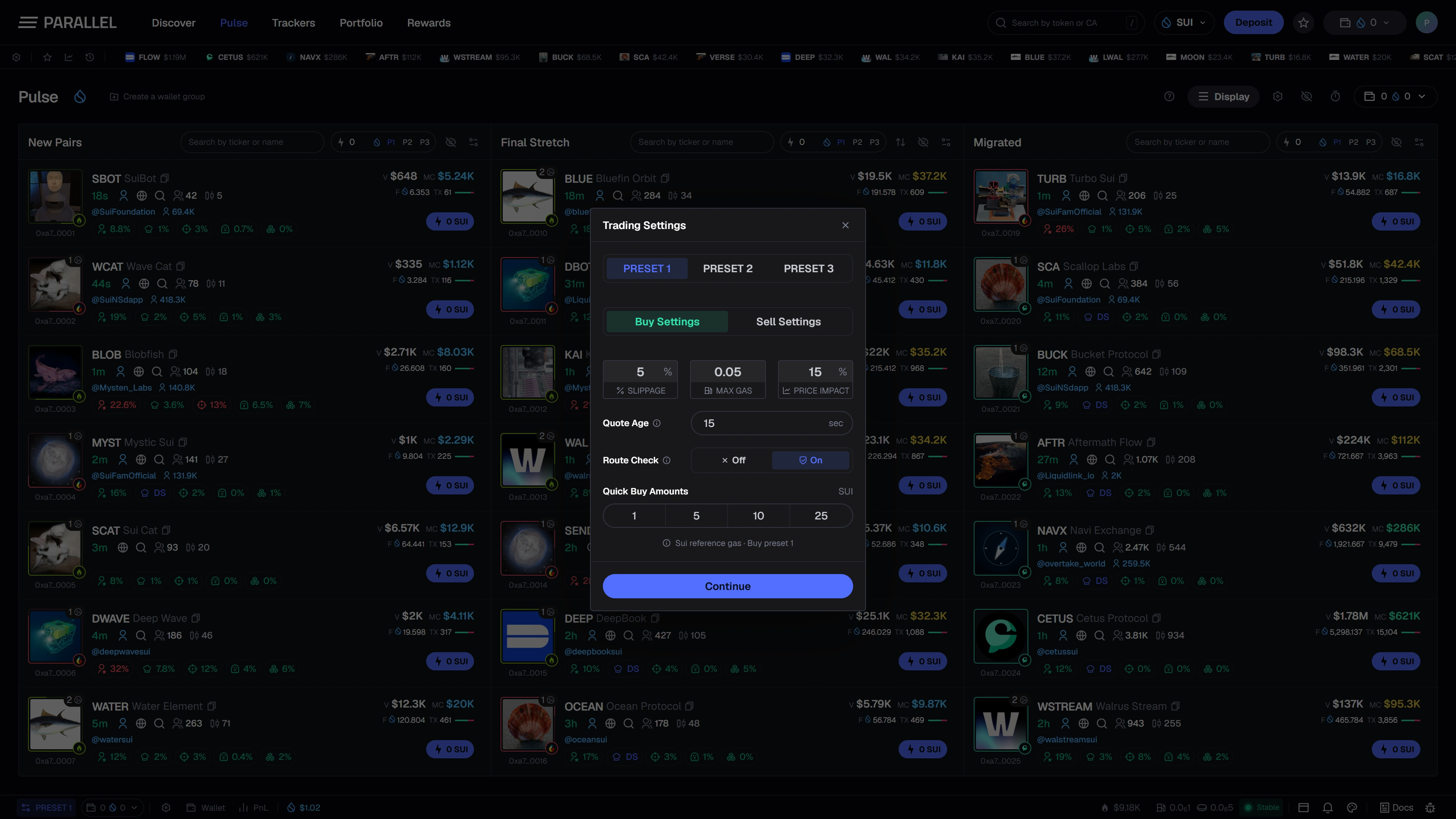
Live trading is not publicly available yet. These controls illustrate the planned workflow; the public preview cannot buy or sell tokens.
Prepare a preset
Choose the preset you want to use and review its displayed amount, units, and execution-related settings. Preset slots let you keep different configurations for different situations without re-entering everything.
Use a name or consistent ordering that makes the selected preset easy to recognize. Changing the active preset can change the amount used by Quick Buy.
Read the settings panel
| Control | Intended purpose |
|---|---|
| Buy Settings / Sell Settings | Keep preferences for each side of a trade separate. |
| Slippage | Set the permitted difference between the quoted and execution price. |
| Max Gas | Set the displayed gas limit or budget for the supported execution flow. |
| Price Impact | Set the permitted impact threshold used by the trading controls. |
| Quote Age | Limit how old a quote can be before it needs refreshing. |
| Route Check | Control the additional route checks shown in the interface. |
| Quick Buy Amounts | Prepare the SUI amounts available in the selected preset. |
The screenshot's values are examples, not recommended settings. Final enforcement and route support will be documented with live execution.
Check the selected wallets
Review the selected trading wallets before using a row or search-result Quick Buy control. Multi-wallet selection and allocation need to be understood alongside the amount shown in the trading panel.
Adding a public address to a watchlist does not make it a trading wallet. See Multi-wallet.
Understand price controls and fees
Slippage tolerance sets how much price movement you are willing to accept within the supported execution flow. A higher tolerance does not guarantee that an order will fill at a favorable price.
Parallel's planned platform fee is 0.5% per executed trade, with network and applicable third-party costs separate. See Fees.
Review the final transaction details once live execution becomes available. A saved preset is a preference, not a guarantee of price, fill, or outcome.