

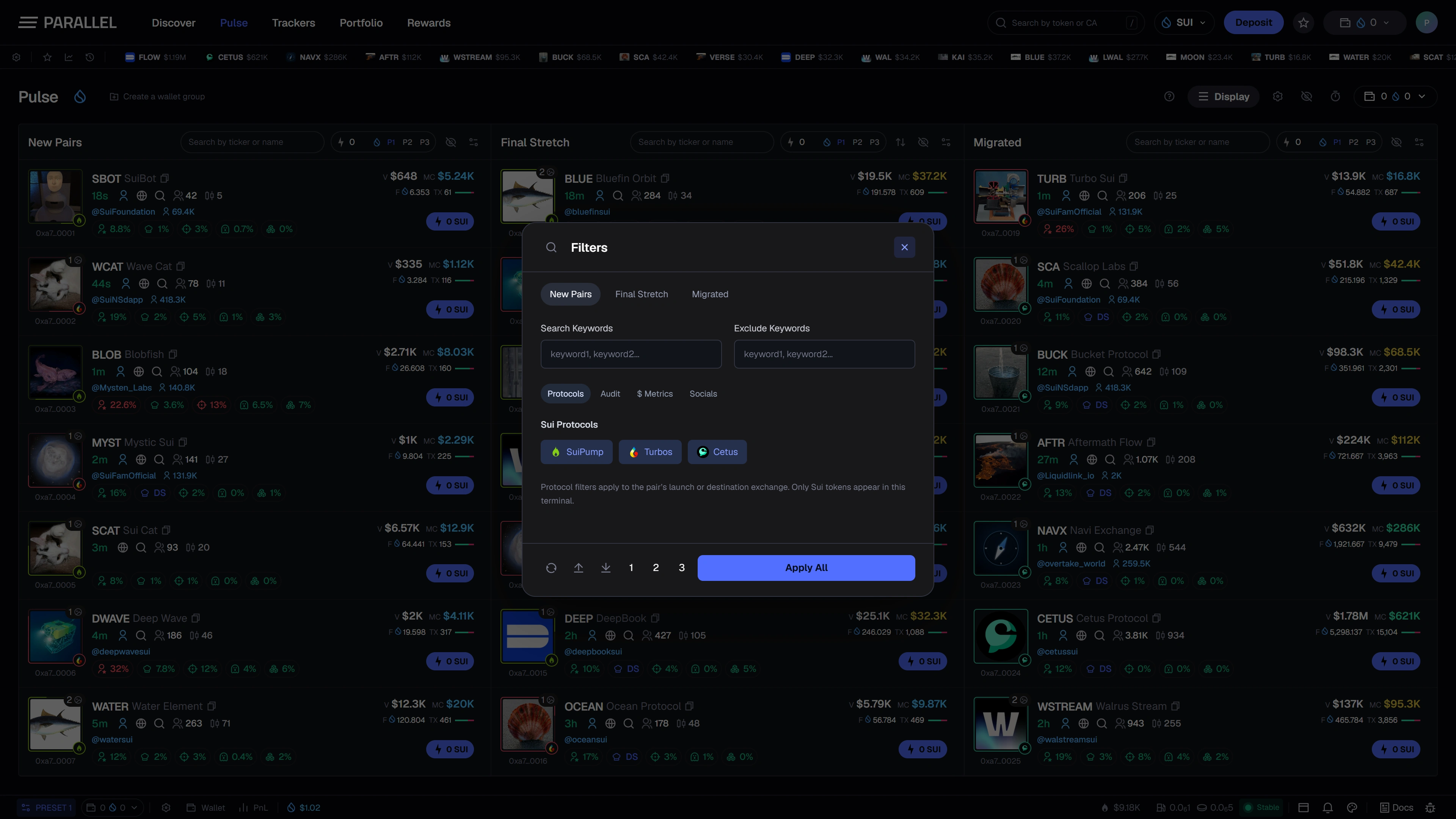
Filters narrow what appears in each Pulse feed. They are designed to help you focus on a particular type of launch or a range of token metrics.
Work with one feed at a time
Open the filter control for New Pairs, Final Stretch, or Migrated. Each feed has its own criteria, so an early-launch view can differ from a near-migration view.
Set the fields that matter to your search, apply the changes, and review the remaining rows. Add constraints gradually: several narrow ranges can exclude every result.
Understand each field
Metrics such as age, market capitalization, volume, and holder counts describe different things. Read the unit and the minimum/maximum labels before entering a value. SUI amounts and USD values are not interchangeable.
Platform choices narrow the discovery source. Holder-related criteria narrow the displayed metrics; they do not verify a token's contract, liquidity, or future behavior.
Hidden tokens
Hiding a token removes it from the visible workflow without changing anything onchain. The hidden-token list lets you review those choices separately from your filters.
If a column is empty
- Clear its search text.
- Review or reset the active filters.
- Check hidden tokens.
- Confirm the selected feed and data availability.
This page describes the planned launch workflow. Preview results are illustrative and do not represent the complete Sui market.