

Pulse is Parallel's token discovery workspace. It brings three stages of a token's launch into one view so you can move from discovery to closer inspection without losing context.
Pulse is being built for Parallel's launch. The public website shows a static design preview; the figures in these images are illustrative.
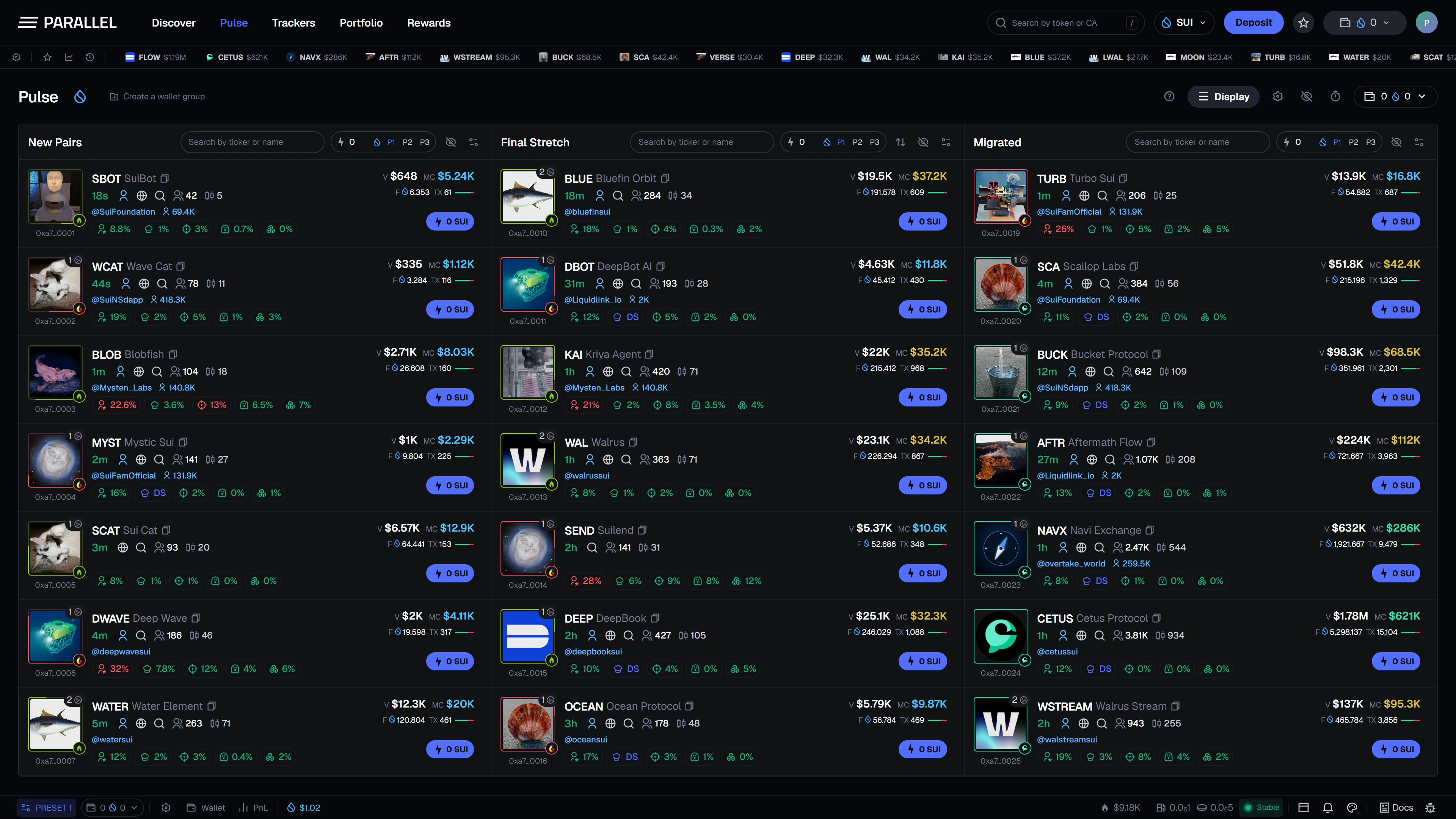
The three feeds
| Feed | What it shows in the discovery workflow |
|---|---|
| New Pairs | Newly appearing token pairs, useful for scanning recent launches. |
| Final Stretch | Tokens approaching their launchpad's migration conditions. |
| Migrated | Tokens that have moved beyond their initial launch stage into the next trading venue. |
Migration conditions depend on the launchpad. A bonding or migration target is not the same as total-supply market capitalization.
Read a token row
A row brings together the name, ticker, artwork, platform badge, age, and the metrics you choose to display. Market capitalization, volume, transaction counts, and holder-related indicators help you decide what to inspect next.
The holding indicators distinguish concepts such as top-holder concentration, developer holdings, and grouped activity. They provide context; a label or color is not a guarantee that a token is safe.
Shape the view
- Start with the launch stage you want to follow.
- Use the feed search or global search.
- Apply filters to reduce the number of visible rows.
- Add useful tokens to your watchlist or hide unwanted rows.
- Use Display to choose metrics and layout.
Pause-on-hover is designed to keep a row steady while you inspect it. Smaller screens use feed tabs to switch between stages.
Prepare the next action
The row's Quick Buy control is designed to use your selected wallet and preset amount. Review Quick Buy and presets and Fees before using live trading when it launches.