

Multi-wallet tools are designed to keep your trading wallets organized and make the active selection clear.
Trading wallets and tracked addresses
| Type | Purpose |
|---|---|
| Trading wallet | A wallet you control and authorize for the supported trading workflow. |
| Tracked public address | An address you want to observe, without gaining signing access or control over it. |
Adding, naming, or selecting a public address does not prove ownership or authorize a transaction. Wallet connection and signing are not publicly available through Parallel yet.
Organize the list
The wallet manager design includes names, groups, emojis, and colors. Use these to distinguish strategies or purposes without relying only on shortened addresses.
Groups help keep a larger list manageable. Expand a group to inspect the wallets within it before changing the trading selection.
Review the active selection
The trading-wallet selector shows which wallets are selected for a trading workflow. Check both the selection and the displayed amount before using Quick Buy.
Selecting several wallets changes the context of an action; it is not a transfer between those wallets. Final allocation behavior will be documented with live execution.
Multi-wallet settings
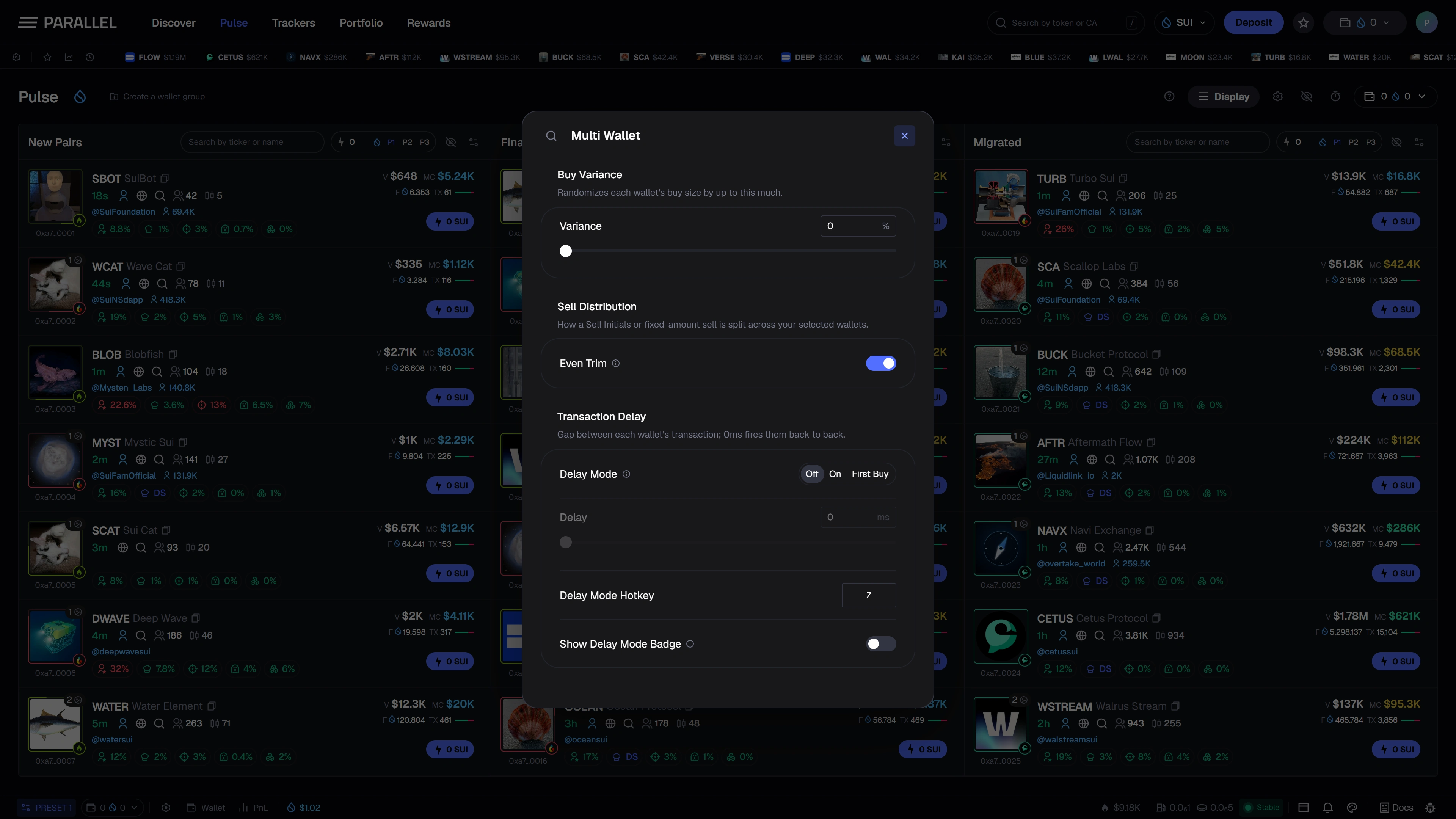
The settings panel brings together Buy Variance, Sell Distribution, and Transaction Delay. Buy Variance controls the configured variation between wallet buy sizes. Sell Distribution controls how a supported fixed-amount sell is divided across the selected wallets. Transaction Delay sets the gap between each wallet's transaction, with a mode and hotkey to control when it applies.
These settings need to be reviewed with the selected wallets and total intended trade size. Their live execution behavior will be confirmed at launch.
Import and export address lists
The address-list workflow is for supported public-address data. Keep recovery phrases and private keys out of list files, support messages, and community chats.
For activity views, continue to Wallet tracking. For positions and performance, see Wallet scan.